Find a course, enroll for free, and move through short activities at your own pace — with a live coach a click away.
Overview
Cortex courses are self-paced and grounded in real expertise. Every course is a short sequence of bite-sized activities — readings, videos, quizzes, flashcards and more.
You browse the catalog, open a course, and enroll for free. From there you move through the activities one at a time in the player, your progress saves automatically, and you can ask the live voice coach a question at any point. Nothing here is timed and nothing is lost — you can always come back and pick up where you left off.
No account needed to look around
You can browse every published course, read its curriculum, and even open freePreview activities without signing in. You only sign in when you enroll — so your progress can be saved to your account.
Discover & enroll
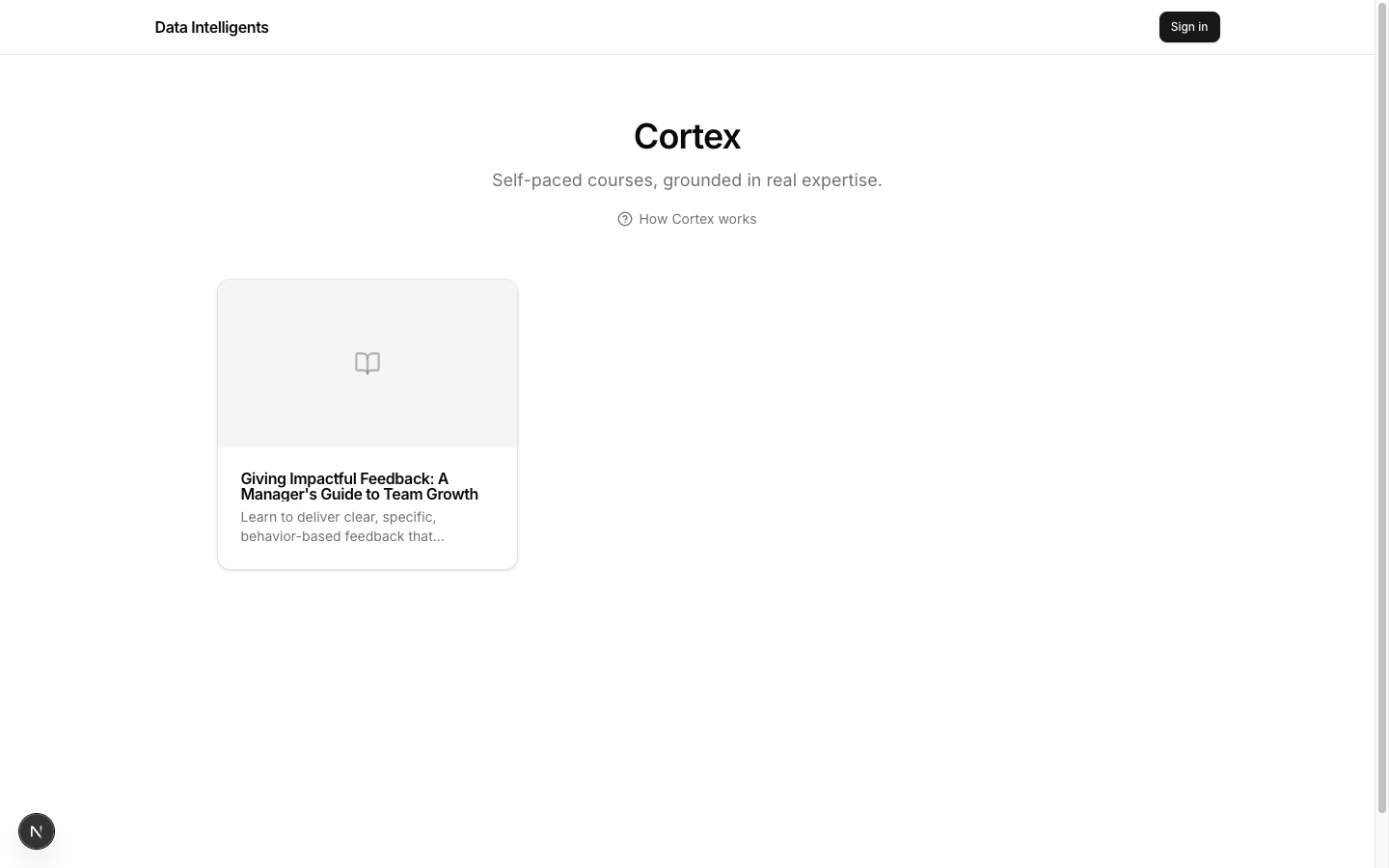
Everything starts at the catalog, which lists the published, self-paced courses.
The Cortex catalog at /cortex — every published, self-paced course.
1
Open the catalog
Go to /cortex — the Cortex — Self-paced courses catalog. It shows only published courses. Click any course card to open it.
2
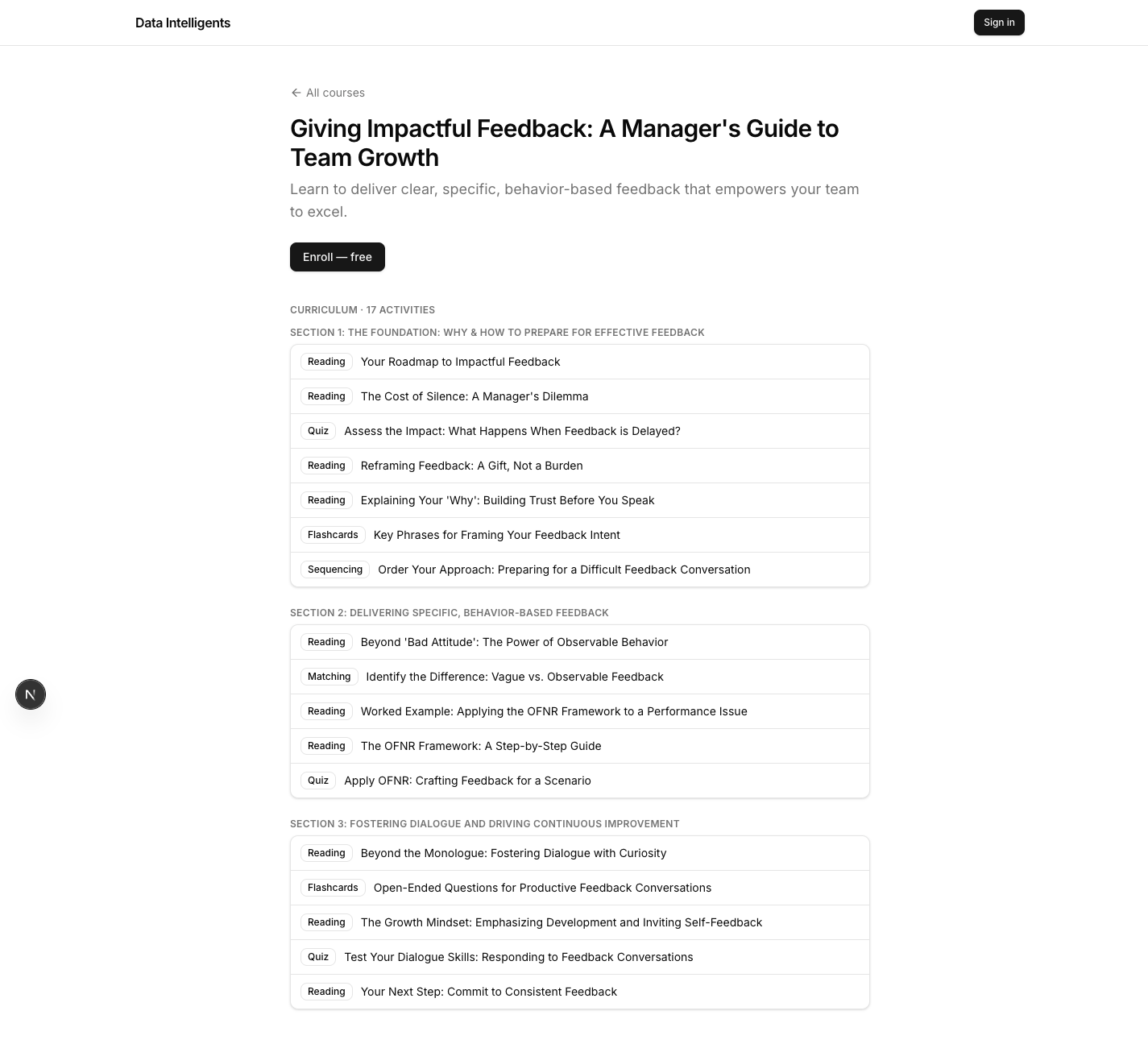
Read the course landing page
The course page at /cortex/[courseSlug] shows the title, subtitle, description, and the full curriculum. Each activity carries a small type badge, and any free activity carries a Preview badge. Use the top-left All courses link to go back.
3
Enroll — free
Click Enroll — free. If you are signed out, an auth modal (“Sign in to enroll…”) opens over the page. On success it enrolls you automatically and drops you straight into the first activity — no need to click again.
4
Already enrolled?
The button instead reads Continue (with an N% complete label and a slim progress bar) if you have made progress, or Start course if you have not begun yet.
A course landing page — title, description, and the curriculum with type and Preview badges.
Preview without enrolling
Want to sample a course first? Click any activity marked Preview to open it directly in the player. You will see a small banner reminding you that you are previewing, with anEnroll — free button whenever you are ready to commit and save your progress.
The course player
Once you enroll (or open a preview), you land in the player — where you actually do the course.
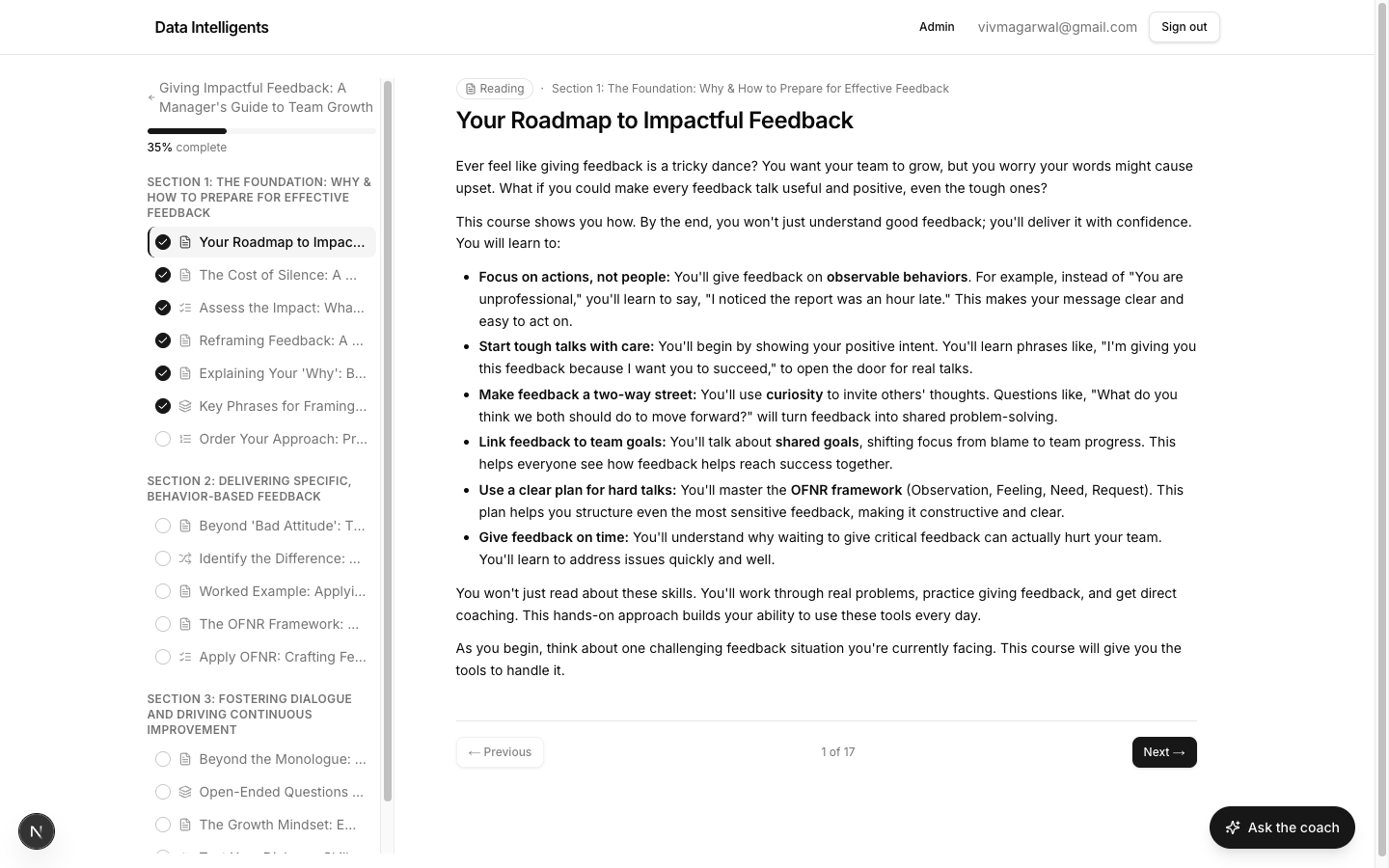
The course player — sidebar with progress and activity list on the left, the current activity on the right.
The player lives at /cortex/[courseSlug]/[activitySlug]. The left sidebar holds a back link, a progress bar with an N% complete label, and the list of sections and activities. Completed activities show a tick, each activity shows its type icon, and the one you are on is highlighted. If you are previewing without enrolling, a“You’re previewing this course.” banner sits at the top with anEnroll — free button.
There are three easy ways to move around:
•Click any activity in the sidebar to jump straight to it.
•Use the footer Previous button to step back.
•Press the Left and Right arrow keys to move between activities (ignored while you are typing in a field).
Navigation is instant
The player quietly pre-loads the rest of the course in the background, so moving between activities is immediate — no waiting for pages to load.
Activity types
A Cortex course mixes several kinds of activity. Here is what each one asks of you as a learner.
Reading
Read the material, then click Mark complete & continue to move on.
Video
Watch the embedded video player right inside the activity.
Embed
View embedded content (a page or tool) shown inline.
Download
Click Download to save the attached file.
Flashcards
Click a card to flip between Front and Back, and use← Prev / Next → to move through the deck.
Quiz
Choose your answers (radio for single-answer, checkboxes for multi-answer) and clickSubmit answers. The server grades it and a debrief appears — see the callout below.
Matching
Pick the right value for each item from its dropdown, then click Check. When every pair is right you see All matched! and the activity completes itself.
Sequencing
Reorder the steps with the up/down chevrons, then click Check order. When the order is right you see Correct order! and the activity completes itself.
How a quiz gives feedback
After you submit, the debrief shows Passed or Not yet with your score — score/total (%). The correct answer is highlighted in green and, if you picked wrong, your choice is highlighted in red, with a per-question Why:explanation. If you did not pass, click Try again. When you pass, the quiz completes itself and you can move to the next activity.
Progress & finishing
You never have to save by hand — Cortex tracks it for you.
Every completion is saved automatically, and the sidebar percentage updates as you go. The interactive types that check your work — quiz, matching andsequencing — complete themselves the moment you get them right. The other types (like reading) use the Mark complete & continue button.
On the very last activity that button reads Finish instead. When you reach 100%, the course is marked completed for your account. You can revisit any activity at any time — being finished does not lock anything.
The voice coach
Stuck, curious, or want something explained a different way? Every player page has a live coach you can just talk to.
1
Open the coach
Click the floating Ask the coach button in the bottom-right corner of any activity page. The Voice Coach panel slides open.
2
Start talking
Click Start talking to begin a live, spoken conversation. You will see“Connecting…” and then “Connected — just talk” — from there, just speak naturally. Indicators show “Coach is speaking…” and “Listening…” so you always know whose turn it is.
3
End when you're done
Click End conversation to stop talking, or the X to close the panel entirely.
Grounded in the course
The coach answers from this course plus the whole knowledge base behind it — so its help stays on-topic and consistent with what you are learning, rather than wandering off into unrelated territory.